IT asset management software for devices and data centres
Manage laptops, servers, network equipment, storage hardware and other technology assets from acquisition and assignment through audit, maintenance and disposal. AssetSeal connects every device with its location, custodian and lifecycle history.
Rack-level hardware recordsEmployee device custodySecure decommissioning history
Backup media BT-88OperationsSecure storage BReview requiredTodayAUD-2108
Role-based accessAuthorized activity historyStructured asset records
Hardware register visibility
Faster physical verification
Decommissioning records
Data-centre rack recordsEmployee device custodyWarranty and contract trackingSoftware licence recordsSecure decommissioning historyRFID and barcode auditsAsset transfer historyOffline mobile verificationRole-based accessIT asset reportingData-centre rack recordsEmployee device custodyWarranty and contract trackingSoftware licence recordsSecure decommissioning historyRFID and barcode auditsAsset transfer historyOffline mobile verificationRole-based accessIT asset reporting
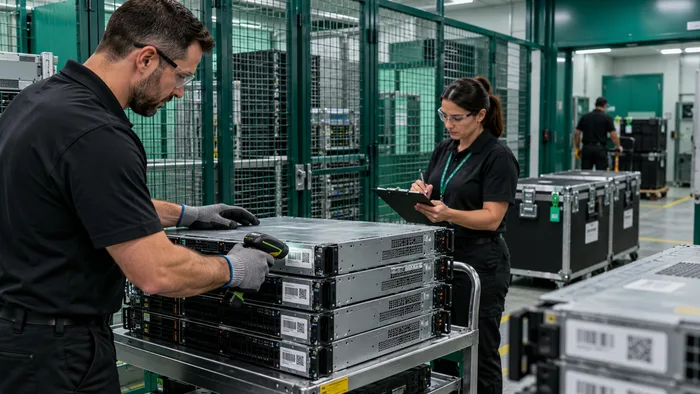
Data-centre rack audit
Organize servers, switches and storage hardware by facility, room, row, rack and U-position to support physical verification and location reporting.
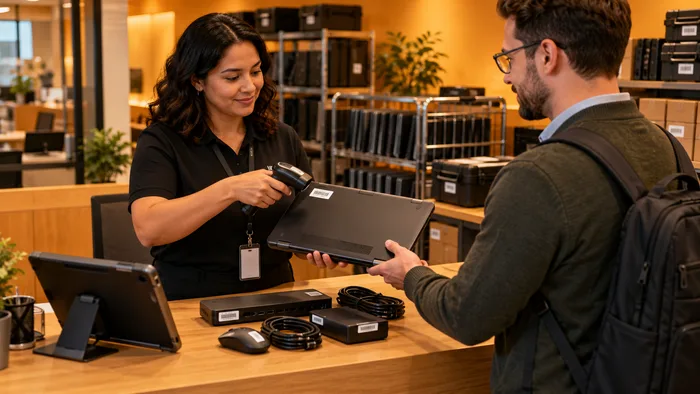
Employee-device custody
Assign laptops, phones, docking stations and peripherals to employees with documented issue, transfer, loan and return activity.
Secure IT-asset decommissioning
Record approved decommissioning stages, equipment removal, data-wiping references, handover details, disposal status and supporting certificates.
The challenge
Digital records drift when physical IT assets keep moving
TodayWith AssetSeal
01
The digital register no longer matches the hardware
Servers, switches, storage equipment and end-user devices are moved, replaced or retired throughout their lifecycle. When physical changes are not verified, the IT asset register and the operating environment begin to diverge.
Data-centre rack records
Keep the hardware register aligned with verified physical assets
02
Employee device custody becomes unclear
Laptops, phones, docking stations and peripherals may change hands several times. Without structured issue, transfer and return records, device recovery during role changes and employee departures becomes difficult.
Employee device custody
Give every assigned device a clear custodian and return history
03
Contracts and licences become separated from assets
Warranty dates, support agreements and software licences may remain active after equipment is reassigned or retired. IT and procurement teams need one place to review the asset and its associated records.
Warranty and contract tracking
Review warranties, contracts and licence records before renewal
04
Decommissioning records are incomplete
Retired hardware may pass through data wiping, internal approval, removal and external disposal. Missing documents or handover records create uncertainty during security and internal audit reviews.
Secure decommissioning history
Preserve decommissioning activity and supporting documents
Capabilities
One lifecycle record for every IT asset
01
Data-centre rack records
Organize servers, switches and storage hardware by facility, room, row, rack and U-position to support physical verification and location reporting.
03
Warranty and contract tracking
Keep warranty information, support agreements, vendor details, renewal dates and related documents connected to the appropriate asset.
05
Secure decommissioning history
Record approved decommissioning stages, equipment removal, data-wiping references, handover details, disposal status and supporting certificates.
AssetSeal coreOne governed record
02
Employee device custody
Assign laptops, phones, docking stations and peripherals to employees with documented issue, transfer, loan and return activity.
04
Software licence records
Associate software licences with hardware, employees or organizational units so approved teams can review assignments, expiry dates and supporting information.
06
Faster physical asset audits
Use supported RFID readers, barcode scanning or NFC identification to verify IT assets and review discrepancies against the expected asset register.
How it works
From asset registration to lifecycle action
01
Register and identify
Create the asset record and connect the appropriate barcode, QR code, NFC or RFID identifier. Record its category, owner, assigned location and lifecycle status.
02
Assign and move
Issue devices to employees or transfer infrastructure between rooms, racks, offices and storage areas while preserving responsibility and movement history.
03
Verify and reconcile
Compare physically scanned assets with the expected register to identify missing equipment, undocumented moves and records requiring review.
04
Maintain or retire
Update warranty, maintenance and lifecycle information, then document decommissioning, handover and disposal when the asset reaches end of life.
Governance built in
Structured records for stronger IT governance
Role-based access, authorized activity history and structured reporting help IT teams maintain consistent asset records.
IT asset registerDecommissioning recordsLicence recordsInternal audit support
01
Role-based access
Control which users can view, create, update, approve or audit asset information according to their responsibilities.
Built in
02
Authorized activity history
Retain user and time information for supported scans, transfers and lifecycle status changes.
Built in
03
Consistent asset records
Keep location, custody, status, warranty and supporting documents together in the corresponding asset record.
Built in
04
Structured reports and exports
Produce reports and structured exports for internal reviews, reconciliation and authorized audit activity.
Built in
Outcomes
What stronger IT asset control looks like
01
The hardware register reflects verified physical assets
02
Employee-device recovery has a defined workflow
03
Warranty and contract reviews use current asset records
04
Decommissioning evidence stays connected to the asset
Who benefits
One record, useful to every team
Asset and facilities managers
Review where equipment is assigned, which assets have moved and which records need attention.
IT operations
Maintain a structured register that can be reconciled against the physical environment.
Finance and procurement
Review acquisition, assignment, warranty and lifecycle information when planning renewals and replacements.
Security and internal audit
Access time-stamped activity, supporting documents and decommissioning records during authorized reviews.
Connects with your stack
AssetSeal can exchange approved asset data through configured APIs and structured import or export processes. Integration scope depends on the target system and implementation requirements.
Compliance and reportingIT asset registerDecommissioning recordsLicence recordsInternal audit support
Getting started
What a working session looks like
01
Assess
We review your asset categories, locations, lifecycle workflows and current system landscape.
02
Recommend
We recommend suitable identification methods, devices and AssetSeal workflows for the proposed deployment.
03
Demonstrate
We demonstrate the platform using an IT asset scenario aligned with your operational requirements.
FAQ
Questions IT and data-centre teams ask
RFID can be used around metal equipment when suitable on-metal tags, reader settings and scan procedures are selected. The physical environment should be assessed because rack design, cabling, equipment density and surrounding materials can affect read performance.
AssetSeal can exchange approved asset data through configured APIs or structured imports and exports. The available fields, direction and update rules should be defined for each target system.
Devices can be assigned to employees with issue, transfer, loan and return activity recorded in AssetSeal. Approved teams can review outstanding assignments during role changes or offboarding.
Yes. Server and network equipment records can include the assigned facility, room, row, rack and U-position when those fields are configured and maintained.
No. Data wiping must be performed through the organization’s approved security process or service provider. AssetSeal can retain the related status, handover information and supporting evidence against the asset record.
No. AssetSeal can support barcode, QR, NFC and RFID identifiers. The appropriate option depends on the device type, material, value, environment and audit requirements.
Next step
Build a reliable IT asset record from assignment to disposal
Show us how technology assets move through your organization. We will review your device categories, locations, custody workflows and audit requirements, then demonstrate how AssetSeal could support your IT environment.
 Canada
 USA
USA UAE
UAE India
India UK
UK