Canada USA UAE India UK
AI-powered asset verification and lifecycle platform

Know what you have.
Know where it belongs.

Track, verify and manage every asset across its lifecycle with RFID, barcode, NFC, GeoTags and intelligent insights from ATLAS AI.

  • RFID
  • Barcode
  • NFC
  • GeoTags
  • ATLAS AI
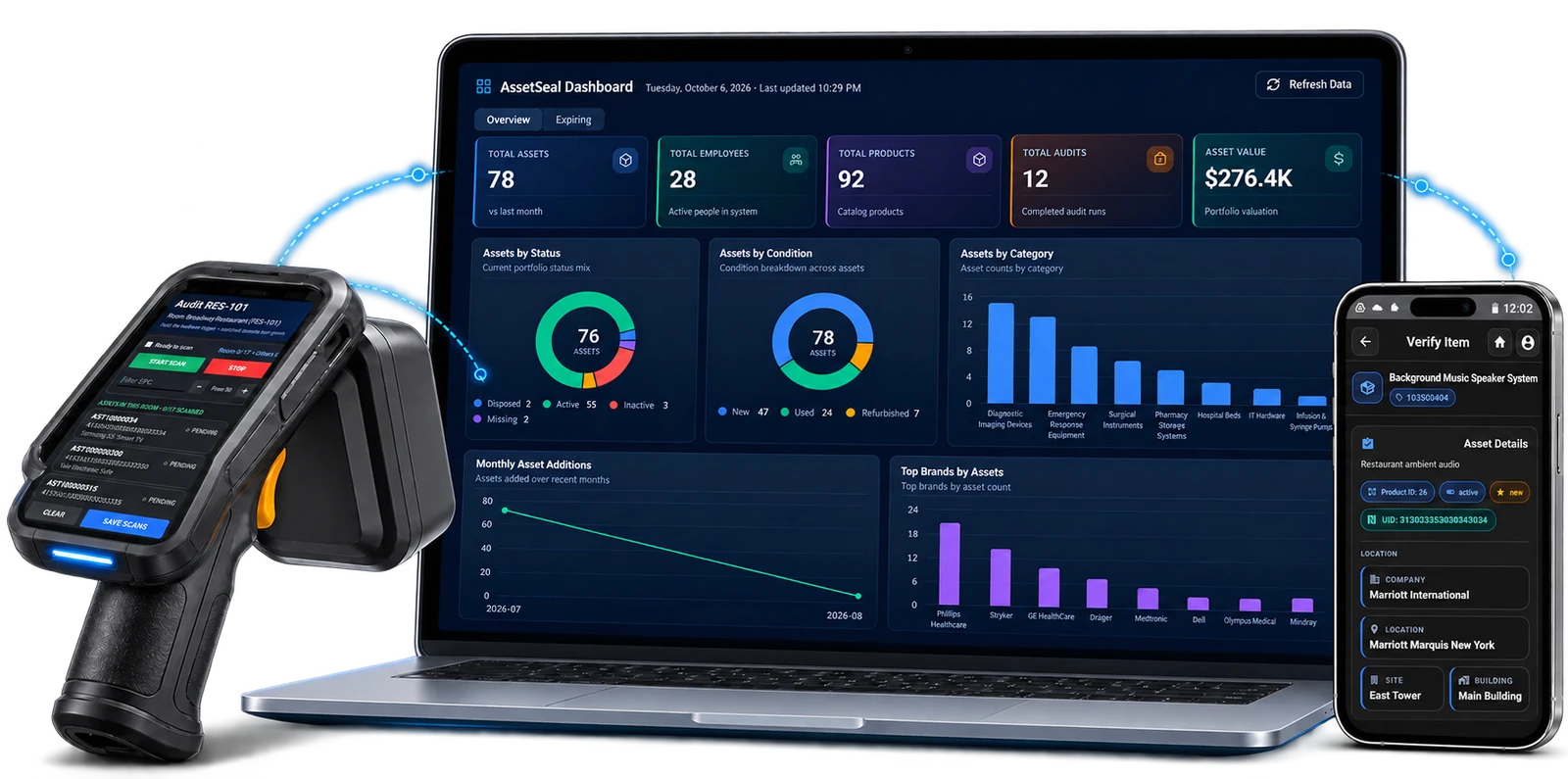
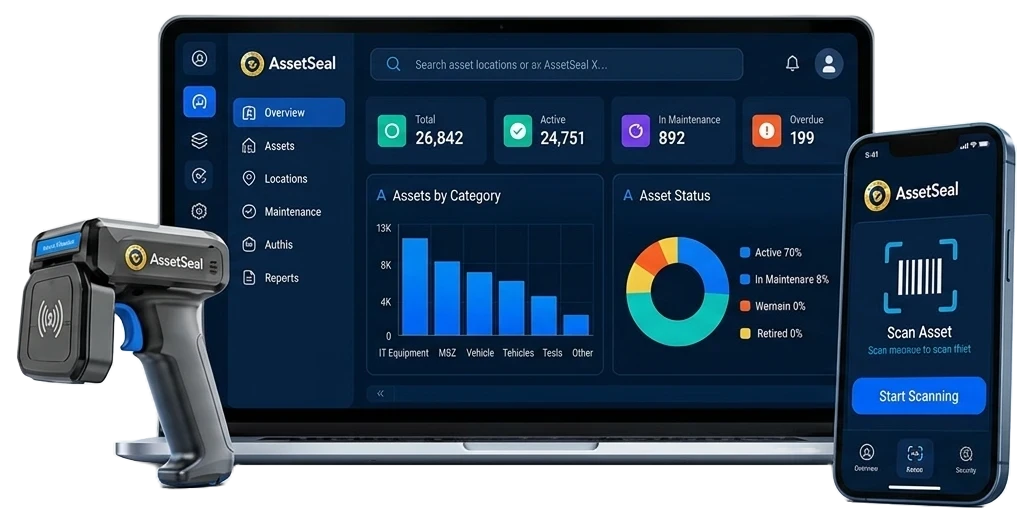
AssetSeal dashboard, RFID handheld and mobile scanning app used to verify physical assets Maintenance due RFID verified Audit complete

Built for intelligent, accountable physical asset operations

  • Healthcare
  • Hospitality
  • Construction
  • Multi-site operations
11+Languages supported
18+Industries served
5Countries served
Technology ecosystem
Zebra logo Point Mobile logo Chainway logo
Single source of record

From registration to audit evidence

AssetSeal keeps identity, location, custody, maintenance and audit history in one physical asset register. Each verified event gives teams the context to resolve exceptions and plan the next action.

01 · Asset register

Build a reliable register for every asset

Record each asset’s identity, photos, serial number, location, custodian, cost, warranty and tag details in one searchable register.

  • Keep tools, equipment and IT assets in a consistent record
  • Link each asset to its site, room, custodian and tag
  • Replace disconnected spreadsheets with a searchable register
02 · Scan and verify

Verify assets with the right scan method

Use RFID for rapid bulk verification and barcode or QR for individual identification. Match each scan to the asset register and record the result.

  • Choose RFID, barcode or QR by asset and workflow
  • Confirm presence, identity and recorded location
  • Surface unmatched tags and register differences for review
03 · Mobile operations

Keep fieldwork moving without a connection

Authorized users can record scans, movements, check-outs and physical counts offline, then synchronize approved events with the AssetSeal register when connectivity returns.

  • Capture field events online or offline
  • Record check-out, expected return and custody history
  • Import reviewed asset records from Excel during onboarding
04 · Lifecycle management

Keep maintenance, warranty and custody history together

Connect preventive maintenance, warranty dates, service history and check-out records to the asset ID. Teams can see what is due, where the asset was last verified and who holds it.

  • Plan maintenance against the asset record
  • Track warranty, service and depreciation details
  • Record custody, due-back dates and returns
05 · Audit and compliance

Reconcile each location with clear exceptions

Scan a room or zone, compare what was found with what was expected, and route missing, misplaced or unrecognized items for review. Keep the audit history with the asset record.

  • Verify locations with RFID, barcode or QR
  • Separate found, missing, misplaced and unrecognized items
  • Export audit evidence for finance and compliance review
06 · Ask ATLAS

Ask plain-language questions about authorized asset data

Ask where an asset was last verified, which work is overdue or what changed in the latest audit. ATLAS answers from the AssetSeal records the user is allowed to access.

  • Search by asset name, ID or last recorded scan
  • Review missing, overdue and inactive asset exceptions
  • Trace answers back to approved AssetSeal records

01 of 06 · Asset intake

Core platform controls

Know your assets

Reliable asset records depend on clear access, consistent data, scheduled controls and a usable location history. AssetSeal keeps those controls connected to the same register.

Define who can view, edit, move or audit assets by role and location. Keep a history of relevant user actions for operational review.

  • Separate administrator, manager and technician access
  • Scope permissions by site, building, floor, room or zone
  • Review recorded user activity and asset changes
Role-basedaccess
Locationscope
Activityhistory

Apply approved straight-line depreciation settings and keep acquisition cost, depreciation schedule and current book value with the asset record.

  • Straight-line depreciation settings
  • Scheduled book-value calculations
  • Asset-level depreciation schedules and reports
Straight-linemethod
Scheduledcalculations
Currentrecorded book value

Configure fields, classifications, tag types and location hierarchies around the way your teams organize and verify assets.

  • Add approved asset fields and attributes
  • Configure tag types and identification rules
  • Model sites, buildings, floors, rooms and zones
Configurablefields and tags
Multi-levellocation hierarchy
Built aroundyour structure

Set email notifications for maintenance, warranty and licence dates so the right internal team or approved vendor can follow up.

  • Notify teams before scheduled maintenance is due
  • Track warranty expiry dates and reminder timing
  • Route licence reminders to named owners or approved vendors
Emailnotifications
Lifecyclereminders
Configuredrecipients

Review each asset’s assigned location, last verified scan and recorded movement history across sites. Add fixed or active location technology where the deployment requires it.

  • See assigned and last verified locations
  • Review movements between sites, rooms and zones
  • Configure exceptions for supported reader deployments
Last verifiedlocation
Movementhistory
Configuredexceptions
Operational workflows

Everything needed for modern asset operations

Configure locations, capture field events, verify inventory and maintain custody records without splitting asset history across separate tools.

01

Location structure

Model the places your operation uses, from campuses, sites and buildings to floors, rooms, docks and zones.

Configurable locations Explore
02

Mobile scanning

Use supported mobile and RFID devices to identify assets, record field events and work offline where the module allows it.

Online and offline Explore
03

Inventory verification

Compare expected and found items across stores, warehouses and sites, then review count differences before closing the audit.

Cycle counts Explore
04

Check-in and check-out

Record who receives an asset, when custody changes, the expected return date and the completed return.

Custody history Explore
05

IT asset records

Maintain identity, assignment, location, warranty and audit history for laptops, servers and network equipment.

IT asset records Explore
06

Integration options

Use AssetSeal APIs and scoped integration services to exchange approved asset, location and status data with business systems.

API and integration services Explore
ATLAS AI

Ask your asset register anything.

Get instant answers, insights and recommendations from your asset data using natural language. Pick a question to see ATLAS respond.

ATLAS AIOnline
Ask ATLAS about your assets…
Our solutions

One platform. Purpose-built solutions.

Start with the AssetSeal platform, then add purpose-built solutions for hospitality, rental operations and tool custody. Each solution supports its own operational workflow while connecting with the AssetSeal platform.

AssetSeal on rugged RFID handhelds, a tablet and a phone Platform
01

AssetSeal

Register, verify and manage physical assets across locations, custodians and lifecycle events. AssetSeal keeps identification, audit, maintenance and movement history connected to each asset record.

  • Asset visibility
  • Audit evidence
  • Exception review
Learn more
Hospitality property used with StayVerify turnover inspections Hospitality
02

StayVerify

Verify assets, room readiness and replenishment needs between guest stays. StayVerify gives vacation-rental teams a consistent digital record for each unit and turnover.

  • Checkout audits
  • Restocking & refills
  • Multi-property
Learn more
Room interior verified with RoomVerify Hospitality
03

RoomVerify

Verify room assets, housekeeping tasks and replenishment requirements before a room is returned to service. RoomVerify gives housekeeping and front-desk teams a shared record of what was checked, missing or sent for review.

  • Room visibility
  • Digital verification
  • Faster turnaround
Learn more
Rental equipment managed with Rentify Rentals
04

Rentify

Keep rental equipment, customer custody, return inspections and overdue items connected from checkout through return.

  • End-to-end tracking
  • Verified returns
  • Overdue & loss control
Learn more
Workshop tools tracked with ToolVerify Tools & equipment
05

ToolVerify

Digitize tool issue, return and verification for stronger custody control and faster reconciliation.

  • Tool visibility
  • Issue & return
  • Custody history
Learn more
Compare approaches

Why companies choose AssetSeal

Spreadsheets and ERP systems can store asset data, but physical verification often depends on manual work or added configuration. AssetSeal is built around scanning, custody, audit exceptions and lifecycle history.

Capability Spreadsheets Manual records ERP systems Configuration varies AssetSeal Physical verification focus
Recorded location visibility See assigned, scanned and supported reader events Manual updates Varies by module Included for supported workflows
Location hierarchy Organize assets by site, building, floor, room and zone Manual fields Configuration varies Configurable in AssetSeal
Mobile identification Scan with RFID, barcode or QR External process Depends on deployment Supported options
Audit reconciliation Compare expected and found assets, then review exceptions Manual reconciliation Configuration varies Purpose-built workflow
Plain-language questions Ask about authorized asset and audit records Not typical Product-dependent ATLAS available
See how AssetSeal would map your sites, asset types, tags, users and audit workflow.
Book a demo
Platform features

Everything you need, all in one platform

Set up locations, register assets, manage custody and maintenance, and keep audit history in one connected platform.

01

Organization setup

  • Company settings
  • Locations and sites
  • Buildings and floors
  • Room types and rooms
  • Zones
02

Asset operations

  • Asset intake and register
  • Approval workflow
  • Transfers and loans
  • Asset disposal
03

Audits and reports

  • Audit plans and history
  • Asset and audit reports
  • People and vendor reports
  • Compliance reports
  • Finance reports
04

Asset lifecycle management

  • Insurance and warranty records
  • Loan and licence settings
  • Depreciation settings
  • Maintenance plans
  • Maintenance notifications
  • Licence notifications
11+ languages
Built for teams across regions and languages.
Our partners

Trusted technology partners

Point Mobile Zebra
WhatsApp